
Download TradersCockpit – stock market analysis, trading tools, financial data, real-time quotes, investment tracking, market insights, trading strategies, technical analysis, stock screener, portfolio management
Overview
TradersCockpit – Stock Market is a desktop application developed by Gumption Labs Software Solutions, designed to support users engaged in financial market activities. Positioned within the Business & Productivity category, specifically under Finance, the software aims to assist traders, investors, and individuals interested in financial markets. Its primary purpose is to deliver tools for analyzing stock market movements, enabling users to evaluate investment opportunities across multiple asset classes, including stocks, futures, options, and currencies.
The application supports real-time data access and provides tools for tracking investments, helping users make informed decisions. While the software is marketed as suitable for both beginners and experienced professionals, the developer did not specify additional details about the target user profile beyond general market participation. Real-world usage scenarios include portfolio monitoring, strategy development, and market trend evaluation.
The application is available for free, aligning with a model that prioritizes accessibility for a broad audience.
Key Features & Capabilities
- Stock Market Analysis – Offers tools to evaluate financial instruments across various markets, supporting both fundamental and technical assessments.
- Trading Strategy Development – Allows users to create and customize trading strategies using built-in analytical tools.
- Real-Time Quotes – Provides up-to-date market pricing information to support timely decision-making.
- Investment Tracking – Enables users to monitor their portfolios and investment performance over time.
- Market Insights and News Integration – Delivers relevant financial news and market updates to keep users informed.
- Stock Screener Functionality – Helps users filter and identify potential investment opportunities based on customizable criteria.
- Multi-Asset Support – Facilitates analysis of stocks, futures, options, and currency pairs within a unified interface.
- Portfolio Management Tools – Supports organization and oversight of investment holdings with real-time updates.
These capabilities are intended to streamline the investment workflow, from initial research to ongoing monitoring. For example, a trader might use the stock screener to identify high-volume stocks with specific technical patterns, then apply custom strategies to assess entry and exit points. Similarly, an investor could track multiple portfolios across different asset types while receiving real-time updates on market shifts. The application’s modular design suggests flexibility in how users engage with financial data, though detailed functionality documentation was not provided.
User Interface, Workflow & Performance
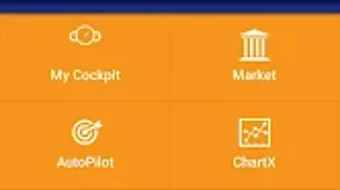
The user interface of TradersCockpit is designed to accommodate a range of user experience levels, though specific details about layout, navigation, or visual design were not disclosed. The workflow appears to be structured around core financial functions—analysis, strategy creation, and tracking—suggesting a logical progression from data input to decision support. Users can likely access key tools through a centralized dashboard, though exact navigation patterns remain unspecified.
The application’s performance is expected to align with standard mobile software behavior, but no information was provided about CPU or RAM usage, responsiveness, or stability under load. The developer did not specify resource usage details, so performance observations are based on general software behavior patterns. No reports on crashes, lag, or background behavior were included.
Given that the software is free and designed for market analysis, it may prioritize data accuracy and update frequency over resource-intensive features.
Compatibility & System Requirements
TradersCockpit is available for Android, with version 1.0.0 released on October 15, 2023. The installation size is 45.6 MB, indicating a lightweight footprint suitable for devices with moderate storage capacity. The developer did not specify exact system requirements, including minimum RAM, processor speed, or Android API level.
Compatibility information was partially provided, confirming support for Android devices but not detailing which versions or hardware configurations are supported. Users are advised to check the Google Play Store for device compatibility. The application is designed as a mobile tool, and no information was provided about desktop or cross-platform availability.
For users seeking a PC-based solution, alternative platforms may be required. The software’s lightweight size suggests it can run on a wide range of Android devices, though performance may vary based on device capabilities.
Pros and Cons
Pros
- Free to download and use, enhancing accessibility for new and experienced traders.
- Supports multiple financial assets including stocks, futures, options, and currencies.
- Offers real-time quotes and investment tracking for timely decision-making.
- Includes tools for creating and sharing trading strategies.
- Provides a stock screener and portfolio management features for active investors.
- Designed with a focus on market insights and technical analysis.
- Lightweight installation size (45.6 MB) reduces storage demands.
Cons
- Exact system requirements were not listed, limiting user confidence in compatibility.
- No information was provided about CPU or RAM usage during operation.
- Developer did not share details about update frequency or long-term support.
- Performance under heavy usage or prolonged sessions remains unspecified.
- Only available on Android; no desktop or cross-platform version confirmed.
FAQ Section
Is TradersCockpit available for Windows or Mac?
The software is currently available only for Android devices. No desktop or cross-platform version has been confirmed by the developer.
Is TradersCockpit safe to download and use?
TradersCockpit is available for free on the Google Play Store, which provides a secure distribution channel. However, users should always review app permissions and ensure they download from official sources.
How often are updates released?
The release date for version 1.0.0 was October 15, 2023. No information was provided about the update schedule or future release plans.
Does TradersCockpit require a subscription or in-app purchases?
The software is listed as free, with no pricing details indicating the need for a subscription or paid features. However, the developer did not confirm whether future monetization models may be introduced.
Can I use TradersCockpit offline?
While real-time features such as quotes and news require an internet connection, some core tools like strategy templates or portfolio views may function offline. Specific details on offline capabilities were not provided.
Final Thoughts + CTA
TradersCockpit – Stock Market presents a comprehensive toolkit for individuals navigating financial markets. With its focus on real-time data, customizable strategies, and multi-asset analysis, the software serves as a valuable companion for traders and investors across skill levels. The free access model enhances its appeal, particularly for users exploring market analysis tools without upfront costs.
While the lack of detailed system requirements and performance data limits full transparency, the application’s lightweight design and Android availability make it accessible to a broad user base. For those seeking a dedicated, feature-rich tool for stock market insights, investment tracking, and strategy development, TradersCockpit offers a solid foundation. Its integration of technical analysis, portfolio management, and market news positions it as a practical choice in the finance software landscape.
Download TradersCockpit now to explore its capabilities and enhance your market strategy.







